


Scribd: 300M+ documents
3.4303.00 Reviews
App Specs
- Version
- 16.18
- Updated On
- License
- Free
- Downloads
- 5,000,000+
- Developer
- Scribd, Inc.
- Categories
- Books & Reference
- Platform
- Android, iOS
Screenshots
 Analysis by AppCompare
I judge a reading app not only by what it can offer, but by how well it fits the small gaps in a normal day. Scribd is a Books & Reference app from Scribd, Inc., built around documents and other reading material rather than a single kind of book. That broad scope is its appeal: I can think of it as a place to look for something useful or interesting when I have a few minutes, not just somewhere to keep a carefully curated reading list.
It is free to install, though in-app purchases range from $0.99 to $12.99 per item. The app is rated Teen, and its current version is 16.3. I would approach it as a broad discovery and reference tool, while keeping in mind that a large library does not guarantee that every specific title or niche document will be available when I need it.
How Scribd fits into a connected reading routine
I use a connected reading routine to separate finding useful material from settling in to read it. In this section, I’ll look at how signal quality, screen size, and interruptions can shape that routine, then turn to practical ways to make mobile use less frustrating.
When the connection changes the experience
Browsing a large collection is most comfortable when the network is behaving well. A connection makes it easier to explore, compare results, and move from a promising document to another. When I’m on a weak signal, I’d avoid treating the app like a dependable last-minute source for a particular passage: find and open the material while the connection is stable, especially if I’m preparing for a class, meeting, or trip.
That habit also helps separate two different needs. If I want to browse and discover, I can do it when I have time and a reliable connection. If I need one exact reference at a specific moment, I should check that I can access it ahead of time rather than assume the app will behave the same way in a tunnel, crowded venue, or patchy rural area.
Small-screen reading has its own trade-offs
On a phone, convenience comes with a physical limit: dense pages, charts, and long documents can be harder to inspect than they are on a larger screen. I’d use mobile reading for focused sessions, quick checks, and material that works well in a scrolling view. For a document with complex formatting, tiny labels, or several columns, a tablet or computer is a better place to study it closely.
A practical approach is to use the phone to locate a useful resource, then decide whether the screen is comfortable for the actual task. If I’m checking one point in a manual, the phone may be ideal. If I’m comparing multiple pages of research or taking detailed notes, switching to a larger display can save time and reduce eye strain.
Worth Reading Before You Choose

Flipboard Shows What News Apps Must Do Beyond the Feed

Switching to Android Auto Means Rethinking Your Driving Routine

Google Calendar Makes a Crowded Week Easier to Manage

Ludo King Makes the Most of the Minutes Between Plans

Baby Panda World Brings Quick Play to Modern Phones, but Its Game Library Feels Busy

ESPN’s Live Game View Makes Following Close Games Easier
Recovering sensibly from interruptions
Reading sessions rarely happen in perfect conditions. A call, an app switch, or a lost connection can interrupt the flow, so I avoid relying on a single open session as the only route back to an important document. I keep track of the title or search terms that led me to it, and I reopen the material when I’m back online if the interruption has broken my place.
For a deadline, I’d build in a little slack: locate the document early, confirm it opens, and leave enough time to find another source if it isn’t the right fit. That isn’t a criticism unique to Scribd; it’s sensible planning for any app used to retrieve reference material on a phone.
Using it without wasting mobile data
If I’m watching my data use, I do the exploratory part on Wi-Fi where possible and keep mobile browsing purposeful. Rather than repeatedly opening many candidates while away from a stable connection, I search with specific terms and check the most promising result first. That makes the session less cluttered and helps me get to the material I actually came for.
It also helps to think about the task before opening the app. A quick lookup and a long reading session place different demands on a connection and battery. I’d save longer, more involved research for a comfortable setting when I can, instead of starting it in a hurry on a weak signal and hoping the experience stays smooth.
Who gets the most from this kind of library
I think the app makes most sense for curious readers, students, and working professionals who often move between subjects and want a convenient place to search for varied material. It can also suit someone who has not settled on one genre and enjoys browsing across books and documents. The breadth is useful when a question leads somewhere unexpected, rather than when I already know the one edition or specialist source I must have.
By contrast, readers who mainly want a dedicated e-reader experience, or who depend on a particular publisher’s catalogue, may be happier with a service centered on that need. Someone doing serious academic research should also treat any app library as one discovery route, not a replacement for checking the authority, date, and suitability of a source before citing it.
How it compares with familiar alternatives
Compared with a single-purpose ebook reader, Scribd’s broad document focus can make it more useful when I want to move between reading and reference material. A dedicated reader may still feel more focused for a person who buys books one at a time and wants a straightforward personal library. Search engines can be faster for a one-off fact, but they return a mixed web of sources; an organized reading app is more appealing when I want to spend time with a complete document rather than skim a snippet.
The trade-off is that breadth can make choosing harder. I would narrow a search with the subject, author, or the kind of resource I need, then judge each result on its own merits. A result that looks relevant by title still needs a quick check for context and credibility, particularly if it will support schoolwork or a professional decision.
A realistic way to use it during the week
Imagine I’m preparing for a discussion at work and remember that I need to review a document on the train the next morning. I’d search for it the evening before on a reliable connection, check that I have the right material, and give myself time to choose another source if the result does not fit. On the commute, I can use the phone for reading and quick reference, but I would not leave the search until the train enters a low-signal stretch.
For a student, the same pattern works for background reading: explore a topic when there is time, note which result is actually useful, and return to it when ready to study. The important point is to use discovery and focused reading as separate steps. That reduces rushed searching and makes a broad collection easier to manage.
What the rating and scale tell me
Scribd has a 3.5 average from around 7,400 ratings, with roughly 267 written reviews, and it has been installed over 5 million times. I read that as a sign of a widely tried app with mixed reactions, not as a promise that every person will enjoy the same experience. My own decision would depend more on whether its mix of books and documents matches the way I read, and whether I’m comfortable using a connected service for that routine.
The app was released on October 13, 2023, and supports Android 7.1 and later. That makes it worth checking device compatibility before installing on an older phone. The more important practical question for most readers, though, is whether they can reliably reach the material they want and whether the format is comfortable on their screen.
One useful search habit is to start with a clear topic and then adjust the wording if the first results are too broad. For specialist material, adding a more precise phrase can be more effective than scrolling through a long list. I also avoid assuming that a document is authoritative merely because it is easy to find; for research, I check who produced it and whether it suits the question I’m trying to answer.
Another trade-off is between browsing and commitment. A large collection can be enjoyable when I have time to follow an unexpected topic, but it can become a distraction when I only need one answer. Before opening the app, I try to decide whether I’m exploring or looking something up. That small choice helps me use the app with purpose instead of letting recommendations pull me away from the task.
There are also moments when I would choose a different tool. If I need a source with a specific citation format, a guaranteed edition, or a carefully controlled academic collection, I would check a library catalogue or a subject-specific database as well. If I want a single book and nothing else, a dedicated ebook store or reader may be simpler. Scribd is strongest when variety and convenient access matter more than a narrowly defined catalogue.
For everyday reading, I’d also pay attention to comfort rather than pushing through a long session on a small display. Increasing text size where the app allows, taking a break, and moving to a larger screen for visually dense material are simple ways to make mobile reading more practical. The phone is excellent for carrying a resource around; it is not automatically the best place to examine every kind of page.
Getting Started with Scribd
First things first, setting up your Scribd account is an absolute breeze. You can sign up using your email, or just connect through your Facebook or Google account. Within minutes, you’re ready to dive into a sea of knowledge. And trust me, it’s vast—like, over 300 million documents vast. That’s more content than you can shake a Kindle at!
Exploring the Content Library
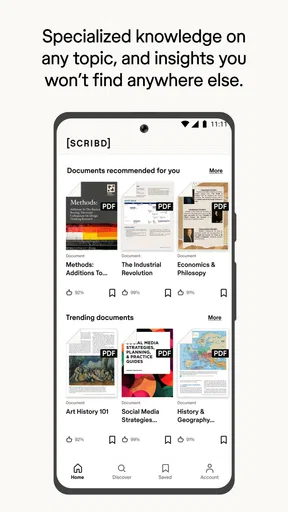
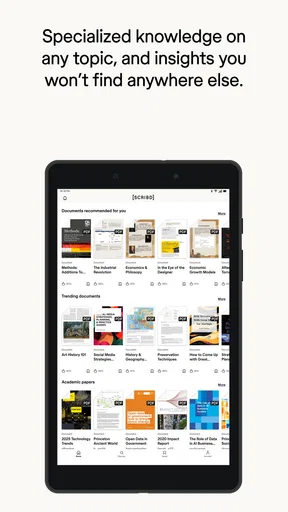
The moment you open the app, you’re greeted with a clean, intuitive interface. The home screen is packed with recommendations based on your reading history, so no matter your taste, there’s something here for everyone. Whether you’re into novels, audiobooks, or sheet music, Scribd has got you covered.
One feature I particularly love is the ability to download content for offline reading. Whether you’re on a long flight or just chilling at the park, you can enjoy your favorite reads without worrying about Wi-Fi. Neat, right?
Personalized Recommendations
The app doesn’t just throw content at you willy-nilly. It uses a smart algorithm to suggest books and documents tailored to your interests. I found myself discovering hidden gems I wouldn't have encountered otherwise. It’s like having a personal librarian who knows your tastes better than you do.
Listening to Audiobooks
For those who prefer listening over reading, the audiobook section is a real treat. The selection is impressive, featuring everything from bestselling novels to enlightening self-help books. The playback controls are straightforward, and the audio quality is top-notch. You can even adjust the speed to suit your listening preference. As someone who loves squeezing in a good book during my commute, this feature is a lifesaver.
Document Sharing and Uploading
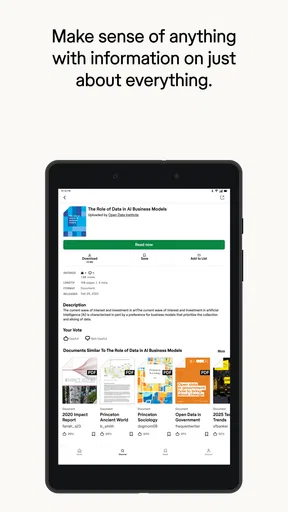
One of the standout features of Scribd is the ability to upload and share your own documents. It’s a fantastic way to contribute to the community and get feedback on your work. Plus, if you’re a student or professional, having access to a multitude of academic papers and business documents can be incredibly handy.
User Experience and Interface
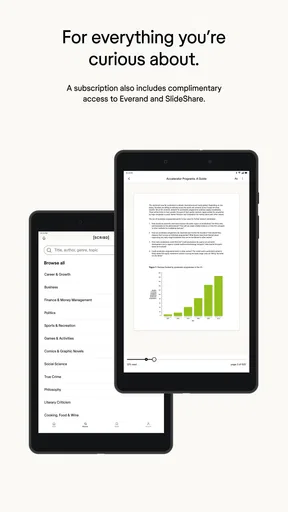
The overall user experience is smooth and pleasant. Navigating through the app is a cinch, with everything clearly labeled and easy to find. The design is minimalistic, focusing on the content without unnecessary distractions. I appreciate the night mode option, which makes reading in low light much easier on the eyes.
Subscription Details
While Scribd offers a free trial period, it operates on a subscription model. For a monthly fee, you get unlimited access to its entire library. In my opinion, it’s a great deal considering the wealth of content available. Plus, there are no hidden costs or annoying ads interrupting your reading experience.
Final Thoughts
Overall, Scribd is a fantastic app for anyone who loves to read and learn. With its massive library, personalized recommendations, and user-friendly interface, it’s a must-have for bookworms and knowledge seekers alike. Whether you’re lounging at home or on the go, Scribd ensures that you’re never far from your next great read. So, if you haven’t tried it yet, what are you waiting for? Dive in and happy reading!
Pros
- Vast library with diverse genres.
- Seamless integration across devices.
- Offline reading available.
- User-friendly interface.
- Regularly updated content.
Cons
- Monthly subscription required.
- Limited audiobook selection.
- Some features need internet.
- Occasional app crashes.
- Search function can be slow.
FAQs for Scribd: 300M+ documents
What is Scribd and what does it offer?
Scribd is a digital library subscription service that offers access to over 300 million documents, including eBooks, audiobooks, magazines, and more. It provides a vast array of reading materials across various genres and subjects, making it a versatile tool for readers, students, and professionals alike.
How does the subscription model work on Scribd?
Scribd operates on a subscription model, where users pay a monthly fee to access its extensive library. This subscription allows unlimited reading of most content, although some premium titles may have additional restrictions. Users often receive a free trial to explore the service before committing to a paid plan.
Can Scribd be accessed offline?
Yes, Scribd allows users to download books, audiobooks, and other documents for offline access. This feature is particularly useful for those who want to read or listen to content without an internet connection, such as while traveling or in areas with limited connectivity.
Is there a limit to how many books I can read on Scribd each month?
While Scribd promotes unlimited reading, there are occasional limits on certain titles due to publisher agreements. However, the platform offers a wide selection of alternative options, ensuring users can continue reading without significant interruptions. Check Scribd’s policy for specific details on content accessibility.
What devices and platforms support Scribd?
Scribd is compatible with a wide range of devices, including Android and iOS smartphones and tablets, as well as desktop computers through web browsers. The app is optimized for seamless performance across platforms, ensuring a consistent and enjoyable reading experience regardless of the device used.


